Teletext turns a spare Android phone into SMS gateway
TL;DR Teletext is an Android app that forwards incoming SMS and call notifications to Telegram. I put my local SIMs into a spare Android phone, leave it at home on a charger and Wi-Fi, and get everything in Telegram wherever I am. Each SIM can go to its own chat, and verification codes are extracted so they are easy to copy.
I do business in several countries, and every one of them needs a local number for banks, government services and deliveries. Very quickly you run out of SIM slots and eSIM space in your main phone. Banks and governments don’t consider this their problem. Swapping eSIMs is not an option either, as some providers take hours to activate a new one while you are roaming, which is a long time to wait for a one-time code.
I had a spare Android phone, so I gave it a job as a dedicated gateway for these numbers.
How it works
Teletext listens for two things on the phone:
- Incoming SMS. It takes the sender, the text and the SIM it arrived on, and sends it to Telegram.
- Calls. When a call ends, it reads the latest entry from the call log and sends a notification with the number and the SIM.
Messages go through a Telegram bot. Every SIM card can be mapped to its own chat or private channel, so it’s clear which number got the message. If the text looks like a verification code (4 to 8 digits next to words like “code”, “OTP” or “PIN”), the code is formatted separately so it can be copied with one tap.
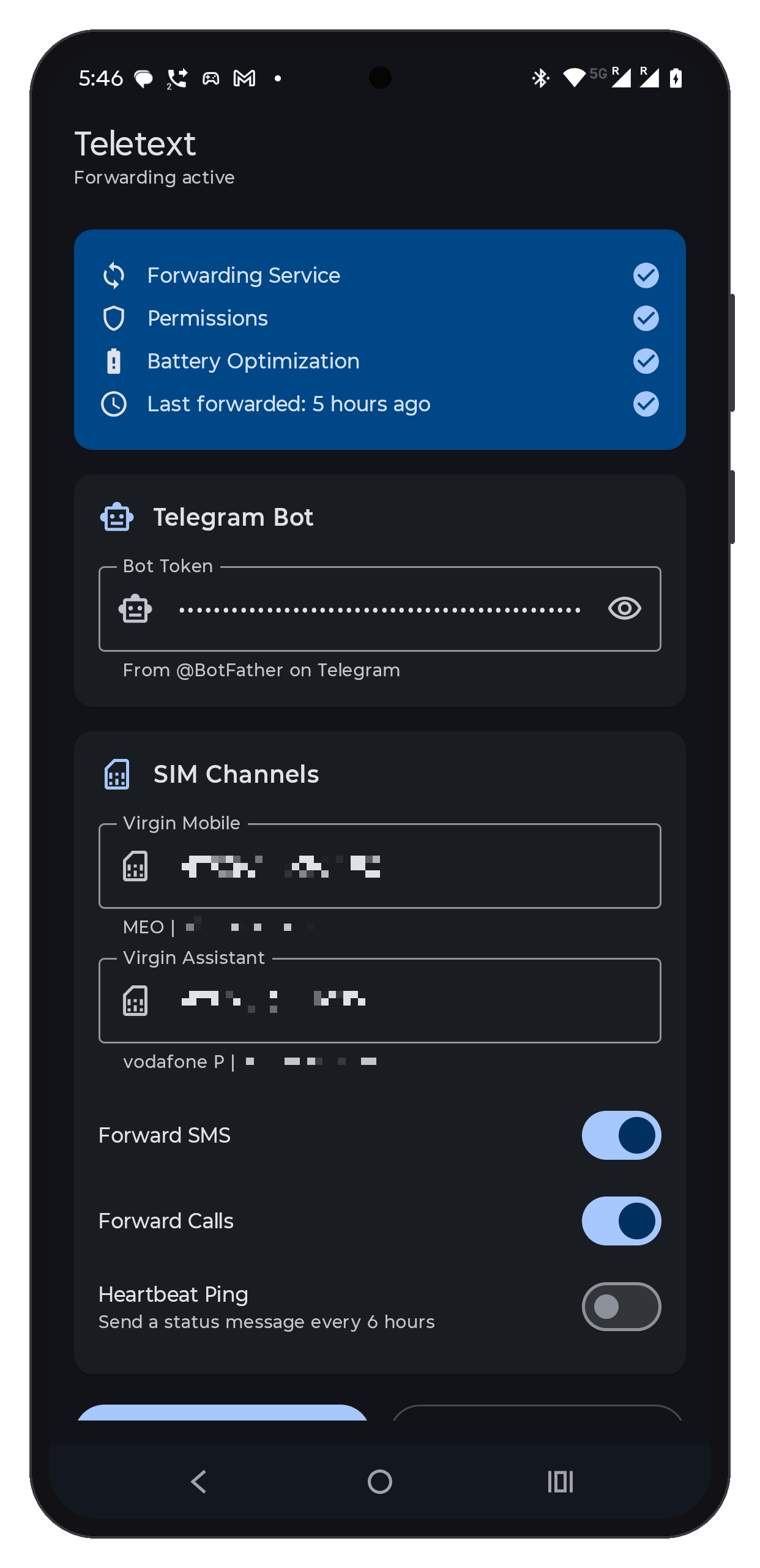
Since the phone is unattended, a big part of the app is about surviving Android. It runs as a foreground service, starts again after a reboot, and asks to be excluded from battery optimization. Messages are sent with WorkManager, so if the network is down they are retried with a backoff instead of being lost. There is also an optional heartbeat that pings Telegram every 6 hours, so I know the phone is still online and not quietly dead at home. Some vendors kill background apps so aggressively that there is a whole website about it, dontkillmyapp.com, and it’s useful for setting up the phone.
Setup
To set it up, you create a bot with @BotFather, add it to a private channel (or just message it directly), get the chat ID, and enter the bot token and chat IDs in the app. The README has the details.
The code is on GitHub.