Pinfold – my opinionated iOS and OSX KML viewer
TL;DR Pinfold is a KML and KMZ viewer for iPhone, iPad and Mac. You import a file once, and after that you can browse its places, see them on a map and open any of them in your navigation app, all without a connection. It’s on the App Store.
I travel a lot, and most of my trips are planned together with mumbler, my AI assistant built in-house (I plan to release it later). The result of that planning is a KML file with all the places for the trip. KML files also come from other places, like Google Earth exports, GIS tools or a route someone shared, but they all share the same fate: they end up in attachments and the Downloads folder, where files go to be forgotten. There is no good place on the phone to keep and browse them.
The obvious option is My Maps in Google Maps, but its functionality is quite poor for this, to put it gently.
Ideally, I want the following:
- Import a KML file once and keep it on the phone.
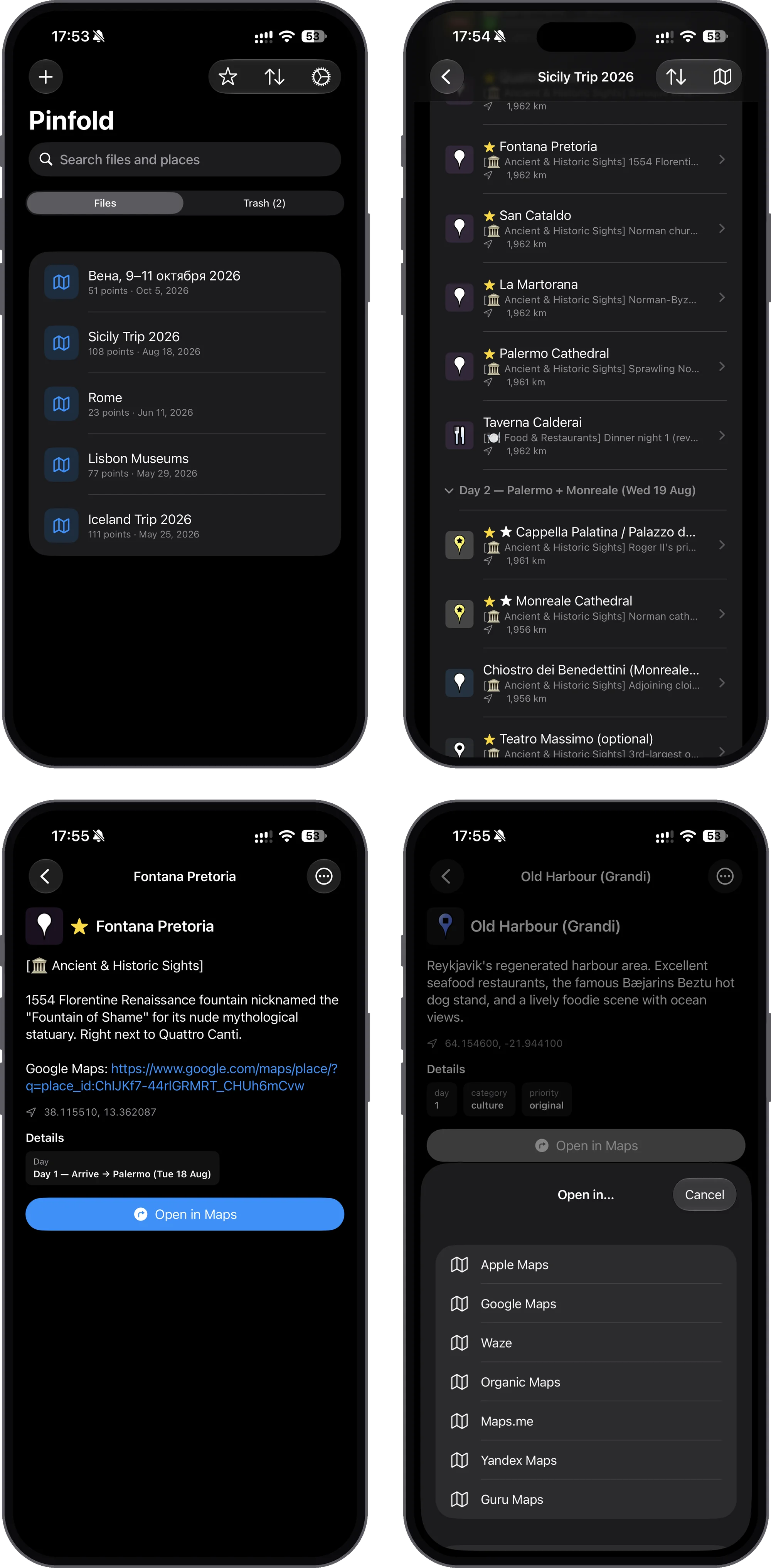
- Browse the places in the same folder structure as in the file, with descriptions and photos.
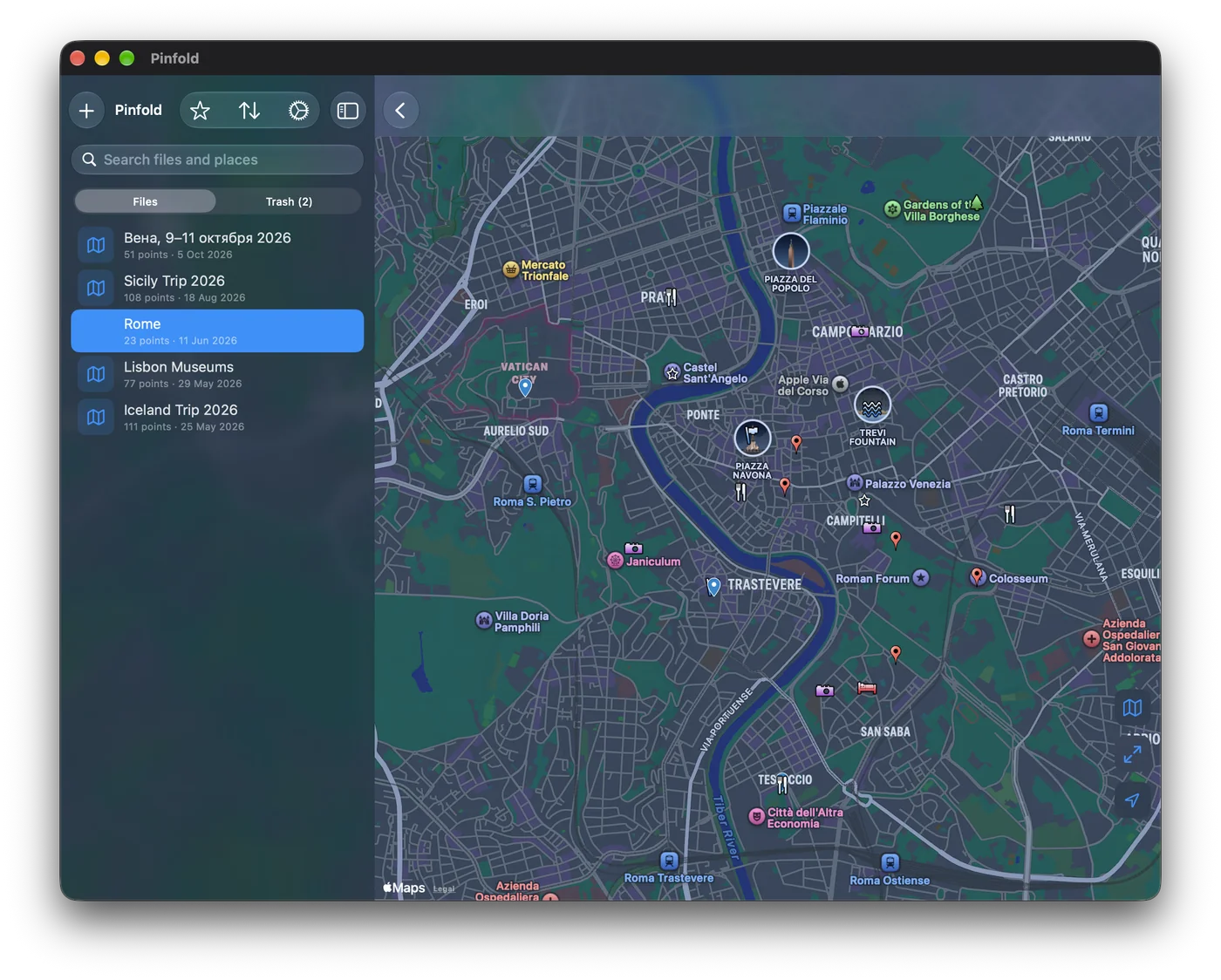
- See all of them on a map.
- Open any place in the navigation app I use at that moment.
- Everything works offline.
How it works
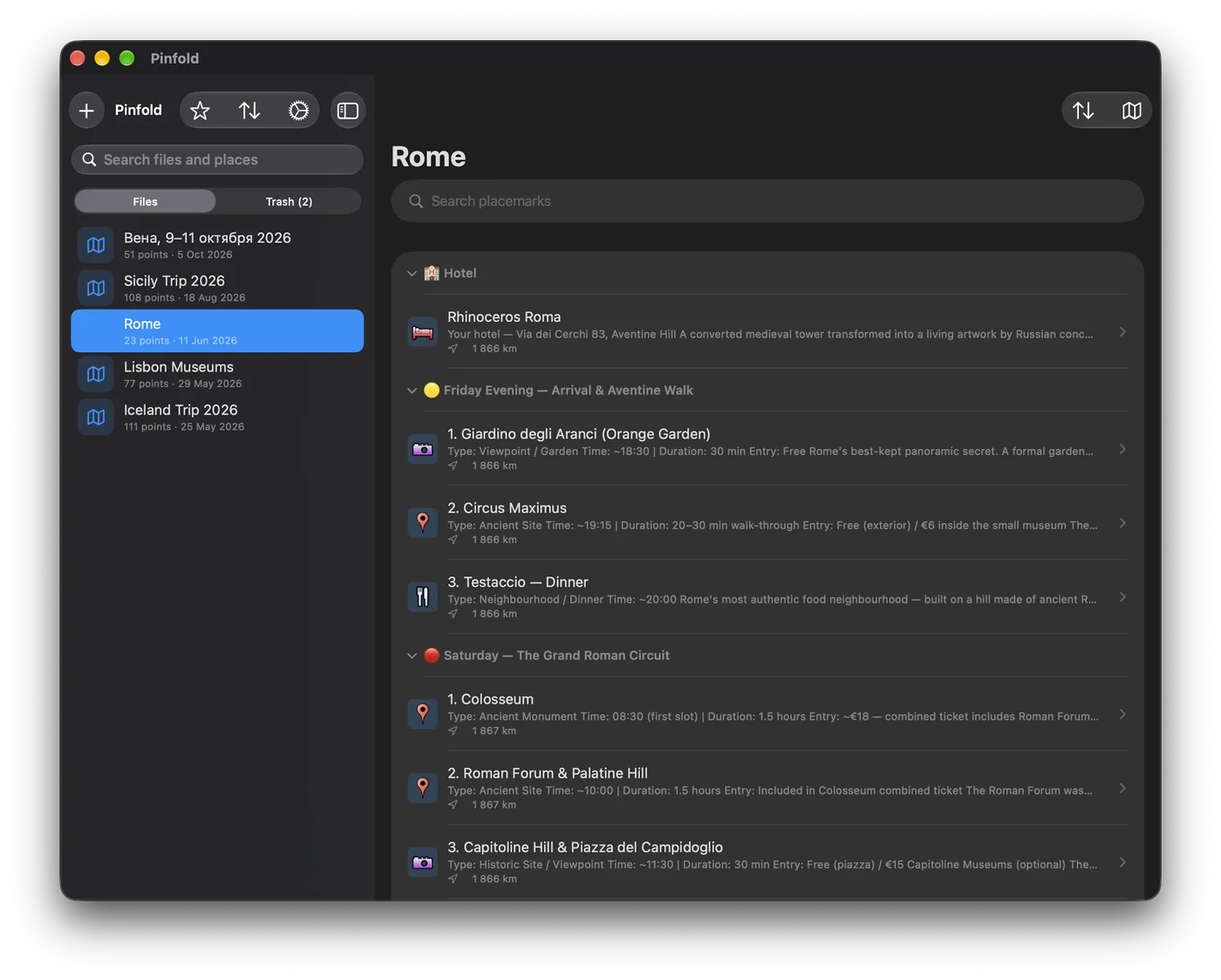
You can import a file from the share sheet of any app, from Files or from an attachment, also several at once. Icons and photos that the file references are downloaded during the import, so they are available offline later. Files with a <!DOCTYPE> are rejected completely. It’s a guard against entity expansion attacks, as the app opens files from anywhere.
Inside, Pinfold shows the folders from the file as they were authored, and every placemark has its own page with the description, photos and extra data fields, with the icons and colors from the file’s styles. All pins of a file can be shown on one map, and when you zoom out they group into numbered clusters so big files stay readable.
For navigation, Pinfold doesn’t build routes itself, as enough companies with much bigger budgets already do that. It opens the place in Apple Maps, Google Maps, Waze, Organic Maps, OsmAnd, Citymapper and a few others, and hides the apps that are not installed. You can set a default app for one tap, or choose every time.
On top of that, there is search across all files, favorites and “visited” marks for places, and Spotlight results that open the place directly. The app also remembers where you were: after a restart, it opens the same file, the same place in the list and the same map position.
There is no account, no server and no tracking. Files stay on the device or in your own iCloud, so the list of places I want to visit is known only to me and, well, Apple. iCloud sync between devices is optional. Each imported file lives in its own folder with a small metadata file next to it, and the folder is the source of truth. The parsed KML is never saved, it’s parsed again from disk on every open. Extracted KMZ media and downloaded icons are cached per device and rebuilt from the synced original, so only the original file and the metadata are synced.
Challenges
KML is a big format, and Pinfold reads a deliberately limited part of it. So a file can be valid KML and still look wrong in the app, i.e. styles defined inline in a placemark are ignored, and photos only come from a specific ExtendedData field. As most of my KML files are generated by AI, the repo has an agent skill that teaches an AI agent to produce only what Pinfold supports.
Large files needed some work on performance: images for pins are cached per style, the placemark list is flattened and lazy, search is debounced, and clustering is forced for files with more than 2,000 pins.
The code is on GitHub.