I got lost in my Chrome profiles, so I built Diriger
TL;DR Diriger is a macOS menu bar app for people with too many Google Chrome profiles. Each profile gets a global keyboard shortcut. If you make Diriger the default browser, it decides which profile opens every link, either by your rules (source app, domain or regex) or with a small picker right at the cursor. Install with
brew install volodymyrsmirnov/tap/diriger.
I have a lot of Google profiles in Chrome. Chrome handles them well once you are inside a profile, but getting to the right one takes several clicks, and there is no keyboard shortcut for a specific profile.
Links from other apps are another problem. Chrome doesn’t ask, it just opens them in the profile that was used last, which is often not the one I need.
Ideally, I want the following:
- Switch to any profile with a keyboard shortcut, from any app.
- When I click a link outside of Chrome, choose which profile opens it.
- For the links I open often, skip the choice and route them automatically with rules.
How it works
Diriger lives in the menu bar and lists every Chrome profile with its picture. The list is read live from Chrome’s Local State file, so there is nothing to configure. The first ten profiles can get global shortcuts.
Switching depends on whether Chrome is running. If it’s not, Diriger starts Chrome with the right --profile-directory. If it is, Diriger brings Chrome to the front and presses the matching item in Chrome’s profile menu through the macOS Accessibility API.
You can also set Diriger as the default browser in its settings. After that, every http(s) link from another app, and every local HTML file opened from Finder, goes to Diriger first. It checks the routing rules from top to bottom, and the first match wins:
- Source: the app that opened the link, i.e. everything from Slack goes to the work profile.
- Domain: an exact host like
github.comor a suffix like*.example.com. - RegEx: any regular expression against the full URL.
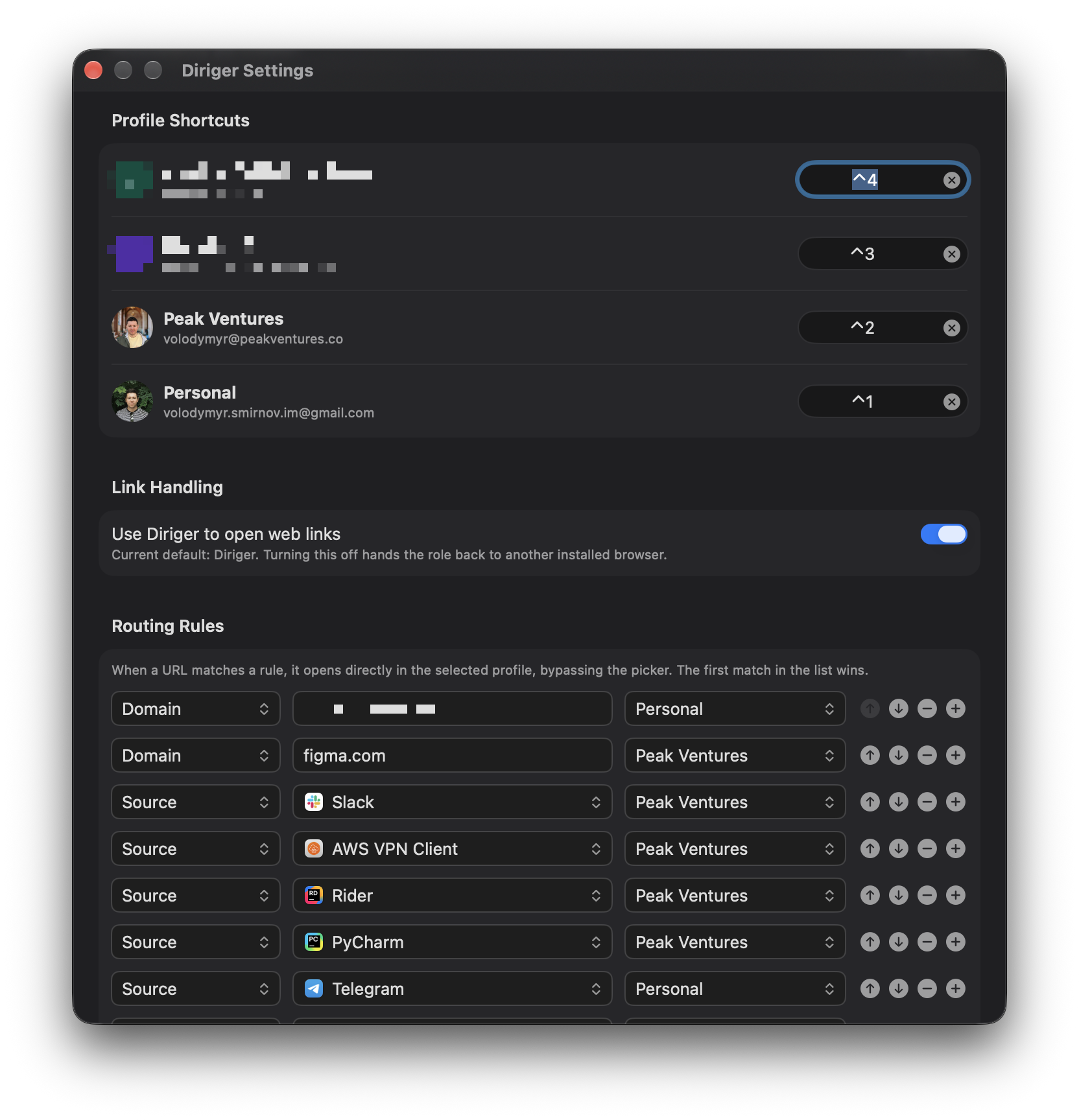
If no rule matches, a small picker appears right at the mouse cursor. I pick the profile with the mouse, the arrow keys or just the number key, ⌘C copies the URL, and Esc closes it. Holding Shift while clicking a link skips the rules and always shows the picker.
Later I added a list of recent links, and settings sync between Macs through iCloud, so the rules and shortcuts are the same on every machine.
Challenges
The first version found the profile menu item by its title, so it only worked when Chrome’s interface was in English. Now it looks for the menu item by its Cocoa selector (switchToProfileFromMenu:), which nobody bothers to translate, so it is the same in every language.
macOS 27 protects Chrome’s data folder from other apps. This is good for security and bad for an app that needs that folder to know which profiles exist, so after the update Diriger couldn’t read the profile list at all. The fix is one switch in System Settings (Privacy & Security, Files & Folders, Google Chrome.app under Diriger), and the app now explains this and opens the right settings page instead of showing an empty menu and pretending everything is fine.
Diriger works only with stable Google Chrome. Beta, Canary and other Chromium browsers are not supported.
The code is on GitHub.