A tool to pick the best photo out of 100, choix
TL;DR choix is a photo culling tool for macOS. You run it in a folder with RAW files from your camera, it groups the photos into clusters by time and visual similarity, you pick a winner in each cluster, and the winners are copied into a
picks/folder, ready for Lightroom or Luminar Neo. Install it withbrew tap volodymyrsmirnov/tap && brew install choix.
I really like taking photos (some of them end up in Moments), but I’m not very talented at it. In the times of film cameras I would have had no chance, or I would have gone bankrupt on film. Thanks to digital photography and 512 GB memory cards, I can take a million photos of the same place, and, like in the infinite monkey theorem, one of them eventually comes out decent. In this setup I’m all the monkeys at once.
The problem is how to find that one photo in a series of 20 almost identical shots of a mountain or a sunset. There is a whole category of software for this called photo culling, i.e. finding the diamond in a pile of, well, you know what. Photo Mechanic, Aftershoot, Narrative Select and FilterPixel are some of the known names. I tried a few tools, but in the end I decided to make something very specific for myself, which groups photos by both date and visual similarity.
The name is French: choix, pronounced [ʃwa], like “shwah”, means “choice”.
Ideally, I want the following:
- Run one command in a folder with RAW files straight from the camera.
- Get the photos grouped, so that each group is one scene.
- Pick a winner in each group with the keyboard, comparing candidates side by side and zoomed in.
- Get a folder with only the winners, which goes to the editor.
- Never touch the originals.
How it works
You run choix in a folder, and it opens its UI in the browser on localhost. The scan reads EXIF, makes thumbnails, computes embeddings and groups the photos, but there is no need to wait for all of it, as the first clusters show up quickly.
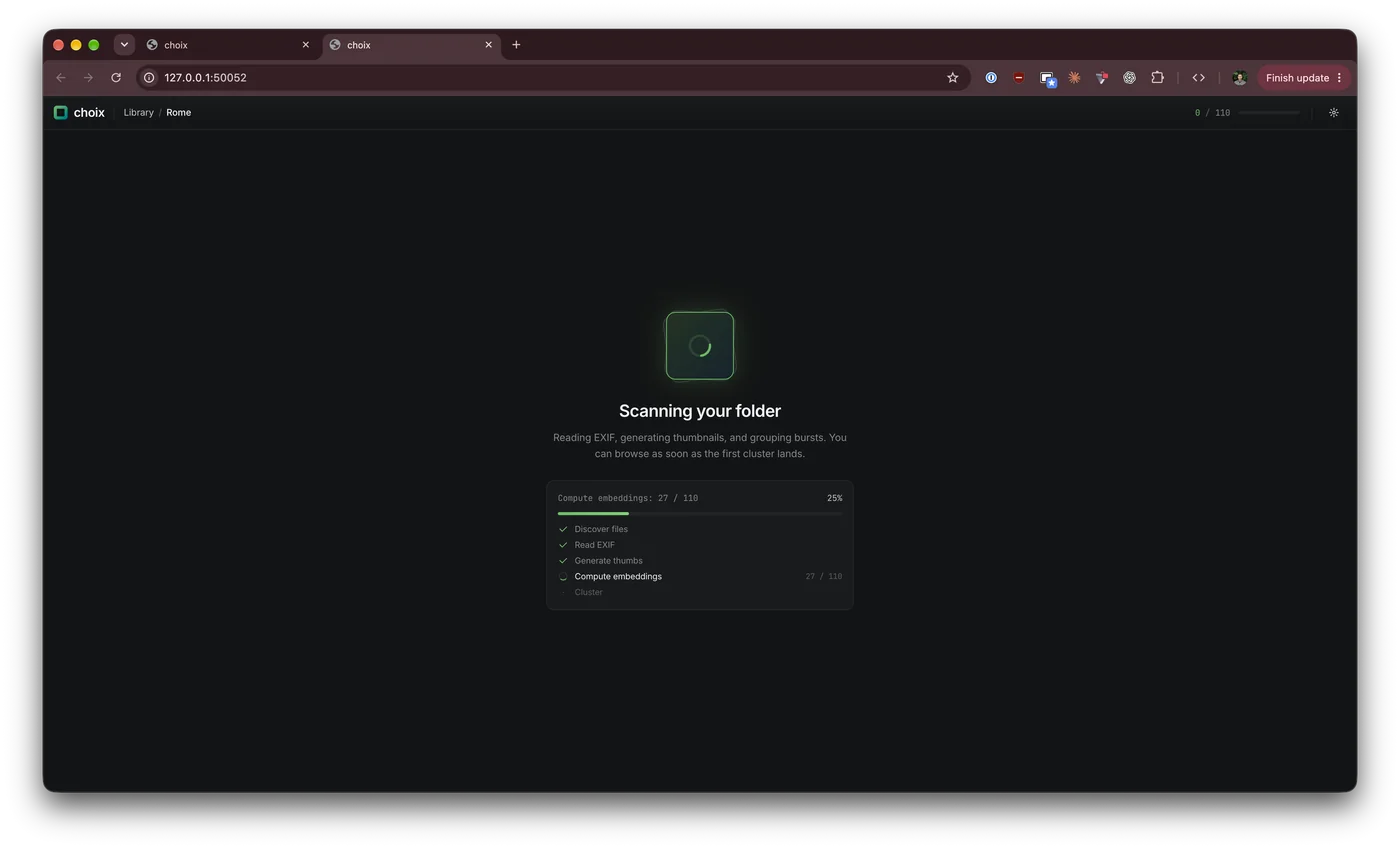
The grouping has three levels:
- By device, so photos from the camera and from the phone are grouped separately.
- By time. Inside each device, photos are sorted by capture time and split into buckets wherever there is a gap of more than 10 minutes.
- By visual similarity. Inside each time bucket, every photo gets a CLIP embedding, and photos whose embeddings have a cosine similarity above 0.92 end up in the same cluster. It’s single-linkage clustering with a union-find, so if A looks like B and B looks like C, all three are one scene, even if A and C have drifted apart.
Time keeps two sunsets on different days apart, and CLIP splits ten minutes of walking around into separate scenes. On my Rome folder from the Fujifilm X100VI, 110 photos turned into 50 clusters. Both the gap and the threshold are in the settings, and changing them re-clusters everything right away.
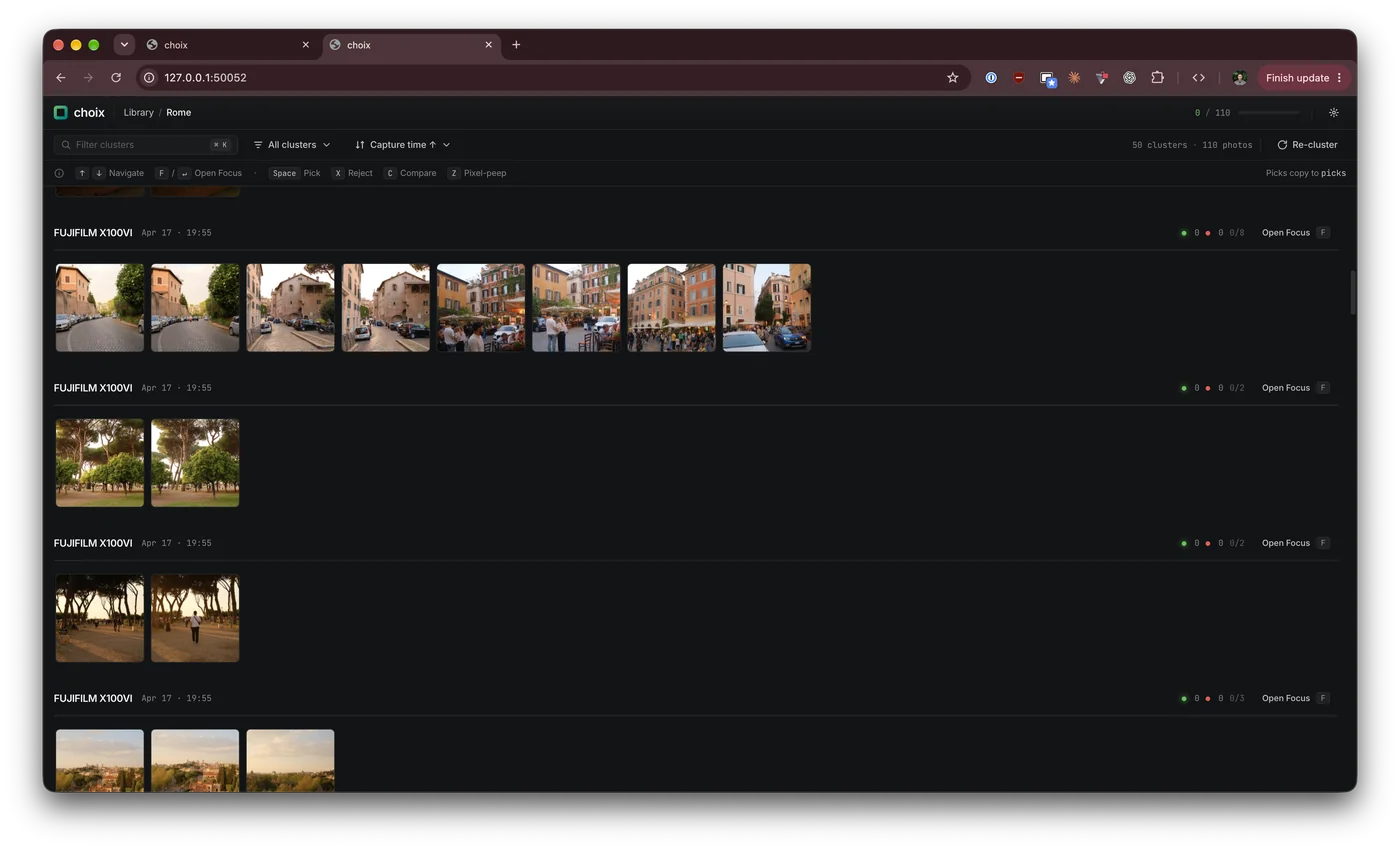
CLIP is ViT-B/32 in ONNX format, running with the CoreML execution provider, so on Apple Silicon it uses the Neural Engine and the GPU. The model is optional and is downloaded from the settings page on the first run. Without it, choix falls back to time only, which works, but the bursts don’t collapse into one cluster.
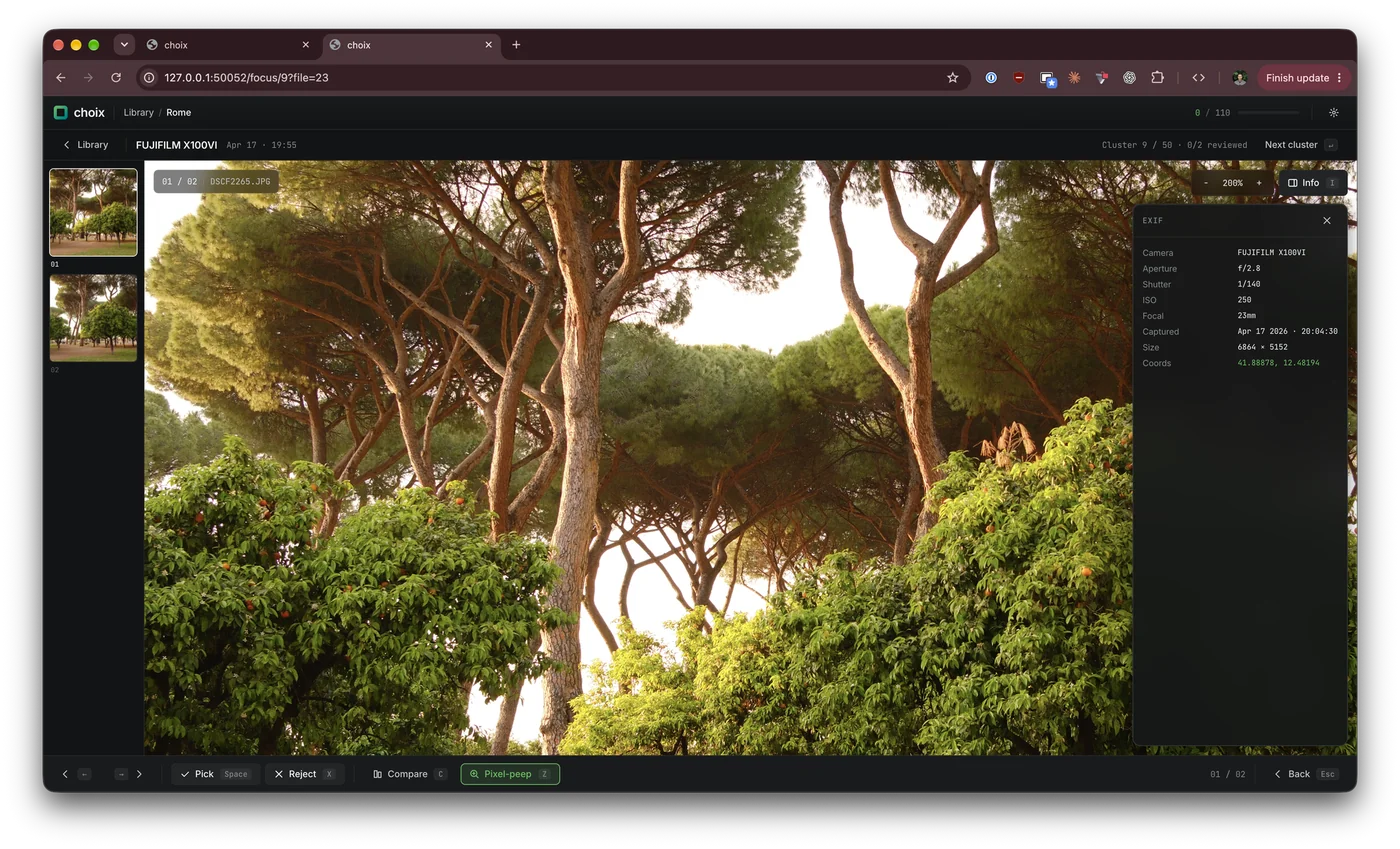
Picking happens in Focus mode, one cluster at a time: Space picks, X rejects, arrows move between photos and Enter goes to the next cluster. The info panel shows the EXIF, and Z zooms in to check the focus where it matters.
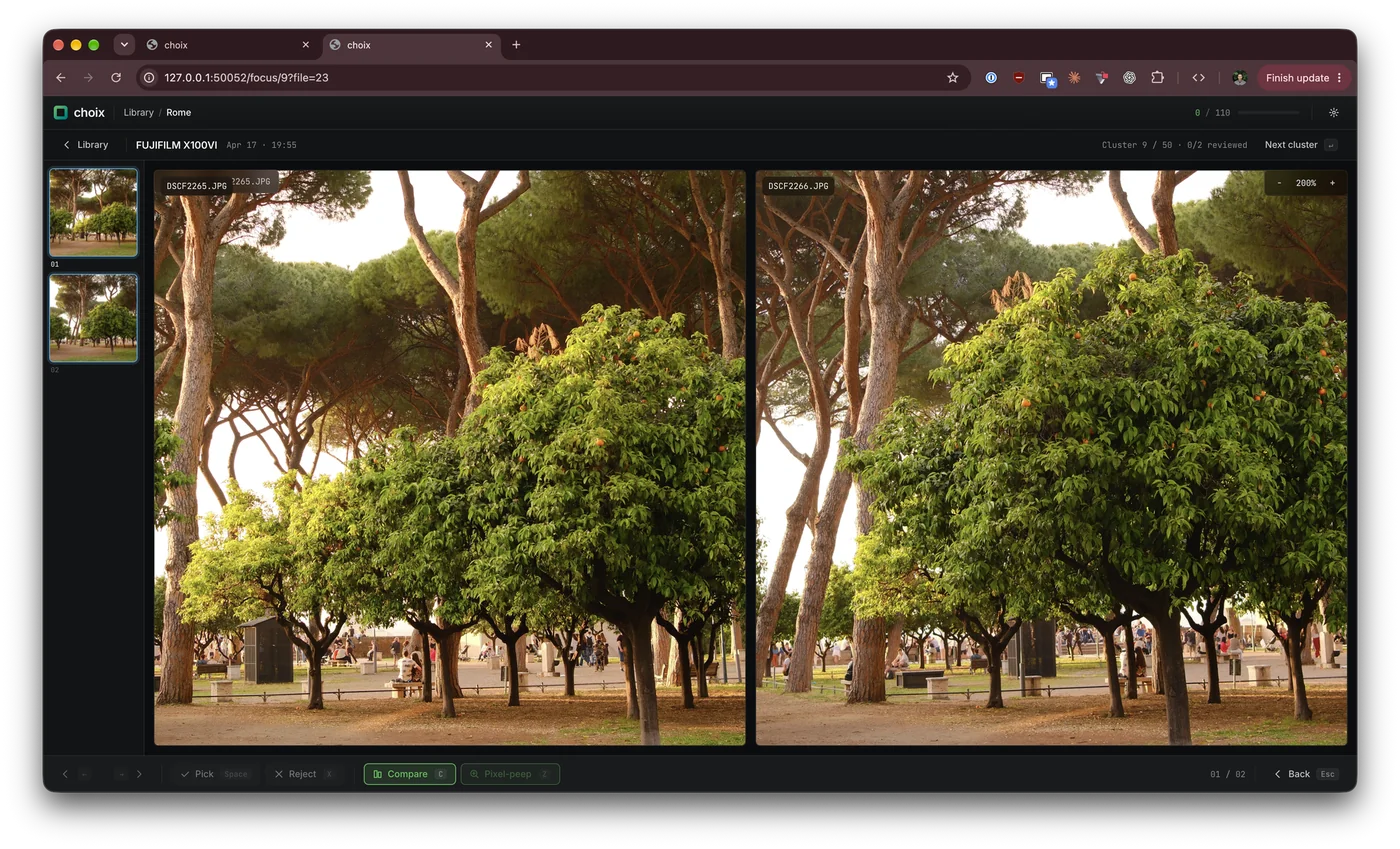
Compare mode shows the photos of a cluster side by side, and zoom and pan move in all of them together, so you look at exactly the same spot in every photo.
A pick is copied into picks/ next to the originals, keeping the folder structure. Originals are only ever opened read-only, and picks are copies, as I prefer to throw away my own photos myself. Picks also live in a separate SQLite table, so re-clustering with different settings doesn’t lose them. All the state is in a .choix/ folder inside the scanned folder, and running choix on the same folder again only processes new or changed files. The picks/ folder then goes to Luminar Neo, which I’m crazy about, or to Lightroom, if that’s your thing.
Also, choix handles videos: it takes five keyframes from each with ffmpeg, so a video lands in the same timeline as the photos.
Separately, there is an option to merge clusters across devices. Cameras and phones rarely agree on what time it is, so choix finds pairs of photos from different devices taken within an hour of each other that are almost identical for CLIP (similarity of 0.95 or more), estimates the clock offset of each device from them, and then puts everything on one timeline. A cluster can then contain both the camera and the phone shots of the same scene. Without embeddings, nothing is merged, as there is no evidence that two cameras shot the same thing.
Challenges
Decoding a RAW file just to make a thumbnail is slow, as demosaicing a full-size image takes seconds. Luckily, a Fujifilm RAF has a JPEG preview of 6+ MP inside, so choix pulls it out with exiftool and only downscales it. At first the full-size image in Focus mode still went through the full decode, which made every arrow press a multi-second wait. Now it uses the embedded preview too, the same file is never transcoded twice in parallel, and the neighbouring photos are prefetched, so the next one is usually already there.
HEIC from the iPhone broke ffmpeg. ffmpeg reads HEIC as a “complex filtergraph”, which can’t be combined with a simple -vf scale=..., and the whole thing ends with exit code 234. macOS has sips, which reads HEIC through Apple’s own ImageIO, so it’s the first choice for HEIC, JPEG and PNG, and ffmpeg stays as a fallback.
DJI drones and GoPro cameras don’t write the usual EXIF Make and Model. The model is in the QuickTime:Encoder tag instead, like “DJI Air3s”, so their videos landed in a device called “Unknown”. Now the encoder string is split into make and model, and the files that were already scanned are fixed from the cached EXIF without running exiftool again.
The ONNX runtime is a dylib from Homebrew, and at first choix found it through a symlink to its versioned folder. After brew upgrade onnxruntime the symlink pointed to nowhere, and the error said “shared library not found”, which was technically true and practically useless. Now choix looks in the Homebrew prefixes, whose symlinks follow the current version, so an upgrade can’t break it anymore.
The code is on GitHub, and all the settings are in the README.